
LittleHippo Mella: the ready-to-rise sleep trainer clock for kids


If you are researching the LittleHippo Mella clock and wondering whether it helps young children understand when to stay in bed and when to wake, this article covers its main features. You will find details about its visual sleep cues, sound options, setup, and how it compares with a connected alternative.
LittleHippo Mella clock review
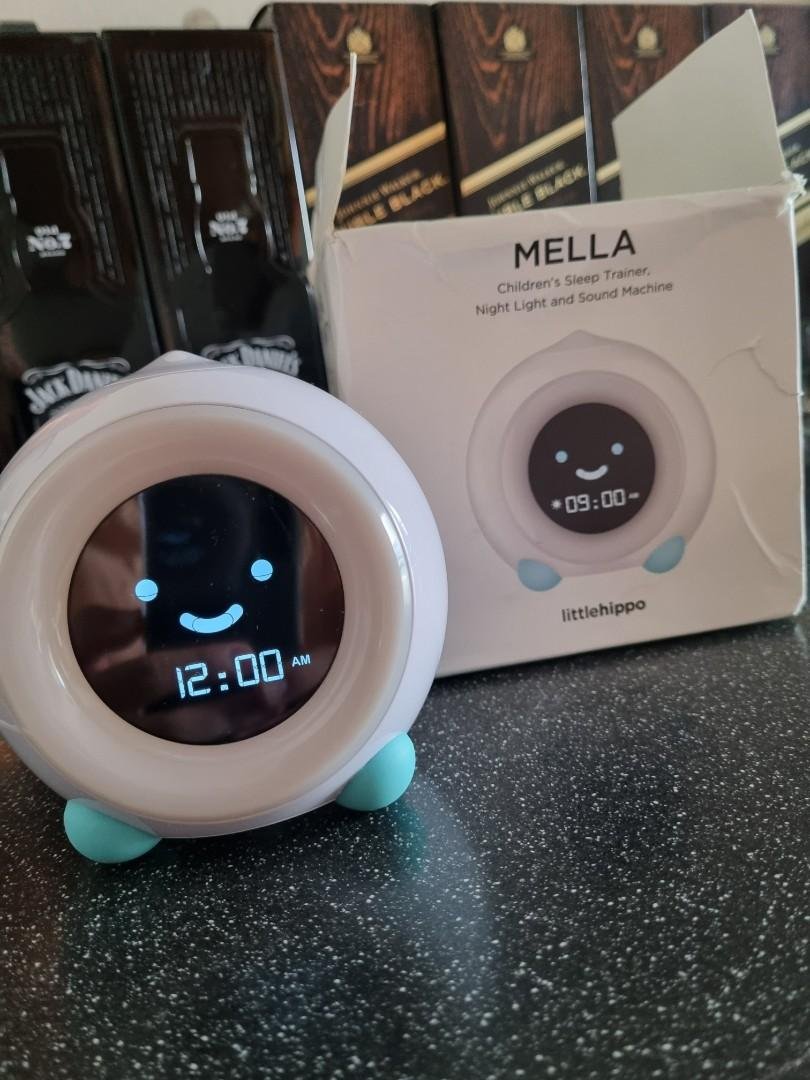
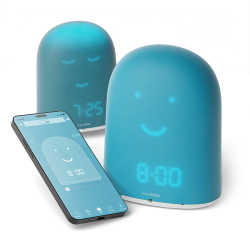
The Mella sleep trainer clock by LittleHippo combines five functions in one compact device: a sleep trainer, an alarm clock, a sound machine, a night light, and a nap timer. Designed for toddlers from around 18 months, it communicates bedtime and morning routines through colour and expression rather than numbers. That makes it accessible before a child can read a clock face. Families seeking a connected, app-controlled option may prefer the REMI children's alarm clock, which offers features designed to grow with your child from birth through age ten.
Ready-to-rise sleep cues
The trainer function at the heart of the Mella clock uses three colours and matching facial expressions to guide children through the night and into the morning. In many reviews of the little hippo mella, parents report that this system becomes particularly effective around age two, when children begin recognising colours and linking them with expected behaviours.
- Red sleep mode At the scheduled bedtime, Mella shows a sleeping expression and glows red, signalling that it is time to remain quietly in bed.
- Yellow play period Before the set wake time, Mella displays a playful expression and yellow glow, inviting quiet, independent activity without disturbing the household.
- Green light wake time When the clock turns green and shows a smiling face, the child knows that the day can begin. The green light remains on for a full hour to accommodate children who sleep in.
The optional yellow play period can help families manage early waking. You can set the timer for 5 to 30 minutes before the chosen wake time, or disable it if a direct transition to the green signal suits your child better. Over time, repeated exposure to these cues helps children internalise their daily schedule.
Some families report that children who previously entered their parents'room before 6:30 AM began waiting until the clock turned green after the first night. A predictable visual signal can keep a kid in bed longer without repeated negotiations, because the clock communicates the rule.
Sounds and night-light options
Mella also combines a night light and sound system to support the transition into sleep. A detailed review of the little hippo mella should consider this integrated design, since it avoids placing separate devices beside the bed. This integrated unit thus supports both the evening wind-down and the morning wake-up routine without requiring multiple devices.
The built-in sound machine offers three sound options: white noise, ocean waves, and a lullaby. Playback can run for 10, 20, 30, 45, 60, or 90 minutes, or continuously throughout the night. The night light and sound functions work independently, allowing you to use sleep sounds alone or combine them with light. The white noise machine setting can help light sleepers by masking household noise during the night.
Who Mella suits
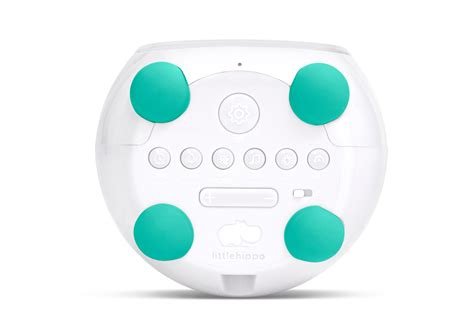
Mella is well suited to toddler households that value simple, reliable controls. Its buttons, child lock, and durable ABS and silicone construction make it practical for children aged roughly 18 months to 6 or 7 years. As a child grows, it can continue operating as a standard alarm clock and nap timer after the colour-based sleep cues are no longer needed.
Families looking for app-based remote control, weekly scheduling, WiFi monitoring, or sleep tracking may prefer the REMI kids alarm clock. REMI is designed for children from birth to age 10 and combines a baby monitor, story player, and sleep tracker. Its scope is broader than Mella's focused, standalone approach.
Set up the Mella sleep clock
Getting Mella ready is straightforward, and the initial configuration takes only a few minutes. Connect the device to a mains power outlet using the included Type A adapter, rated for 100–240 V input and 5 V output, together with the detachable 4-foot USB cable. Once powered, set the current time, then program your preferred bedtime and wake schedule directly through the buttons on the unit. No app or WiFi connection is required.
Program bedtime and wake time
Following the Little Hippo Mella instructions carefully makes programming simple and repeatable. To configure the wake time, press the SET button until “set” appears on the display, then use the SLEEP/WAKE button to move through Sleep Mode, Play Mode, and Wake Mode in sequence. Each mode controls one stage of the child’s nightly routine, and all three must be configured for the complete colour sequence to work correctly.
- Sleep mode setup Set the bedtime hour and minute so Mella shows a sleeping expression and glows red at the appropriate moment each evening.
- Play period adjustment The yellow quiet-play period is automatically placed 30 minutes before wake time. It can be shortened to 5 minutes, extended to 30 minutes, or turned off completely.
- Wake mode confirmation Confirm the green wake time so the clock completes its red–yellow–green sequence through the night and early morning.
For example, you might set sleep time to 9:00 PM, have quiet play begin automatically at 6:30 AM, and set the green wake signal for 7:00 AM. This gives your child a full night of rest, followed by a gentle transition into waking. There is no abrupt alarm or parental intervention until the clock turns green and the morning officially begins.
Adjust light and sound settings
Mella offers three brightness levels for the light ring and five for the clock display, including a completely dark option for children who are sensitive to light during deep sleep. Activate the sound machine with the SOUND button, then choose from the three available tracks and select a playback duration from 10 minutes to continuous. Volume has five levels, and you can switch between the 12-hour and 24-hour display formats. Every setting is available through the unit’s controls.
With the Little Hippo Mella battery, remember that the included CR2032 cell provides memory backup only. It does not power normal operation. The battery preserves the time and programmed schedule during a power cut, so you do not need to enter the settings again after a brief outage. A small metal tool is included to help open the battery drawer safely.
Replace the backup battery
Keep a spare CR2032 cell available so the clock’s memory remains protected during a power interruption; otherwise, the programmed bedtime and wake time could reset and disturb your child’s established routine.
- Locate the drawer Find the small battery drawer on the base of the unit. It is secured to help prevent children from opening it accidentally.
- Use the supplied tool Insert the metal tool into the drawer slot and apply gentle pressure to release the compartment without damaging the casing.
- Remove and replace Slide out the old CR2032 cell, check the polarity markings inside the drawer, and insert the new cell in the correct orientation.
- Close and verify Click the drawer shut, then check that the displayed time and schedule remain intact. Reprogram the unit if necessary before the next sleep cycle.
Troubleshoot your child's sleep clock
Even a well-configured sleep clock can occasionally behave unexpectedly. Most reported issues with Mella come from the power supply, programming, or brightness and sound settings rather than from a defect in the unit.
Quick checks when Mella fails
When you begin troubleshooting the little hippo mella, check the power supply first. Mella cannot operate on the backup CR2032 battery alone. If the device has no display, light, or sound, it is almost certainly experiencing a power interruption rather than an internal fault. Confirm that the adapter is firmly connected to the wall socket and the USB port.
- Power connection: Check that the Type A adapter is plugged into a functioning outlet and that the USB cable is secure at both ends.
- Display brightness: If the screen appears blank, verify that its brightness has not been set to the fully dark option. Cycle through the settings to restore the display.
- Time accuracy: After a power interruption, confirm that the displayed time is correct. An incorrect time shifts all colour cues off schedule.
- Programmed schedule: Review the stored sleep time, play period, and wake time. Reprogram any values that were reset during the outage.
If the clock operates normally but the colour sequence appears at unexpected moments, compare the stored settings with your intended routine. Cycle through Sleep Mode, Play Mode, and Wake Mode, confirming each time value before saving.
Fix routine, light and sound issues
The ring brightness, display brightness, selected track, playback duration, and volume are independently configurable, so one unsuitable setting rarely affects the others.
- Room too bright at night: Lower the light ring to its minimum brightness or select the display's fully dark setting.
- Sound machine not active: Press the SOUND button to confirm that it is enabled, then check whether the playback duration was set to a short interval that has already ended.
- Colour cues changing unexpectedly: Confirm that the child lock is activated, restricting button access so your child cannot alter the schedule independently.
- No alarm at wake time: Verify that both audible and visual alarm options are enabled, and that the wake time is stored in Wake Mode rather than Play Mode.
Children who respond well to consistent rules often follow the green wake signal reliably over many months, while more independent children may need verbal reinforcement alongside the clock's visual cues.
Choose a connected REMI alternative
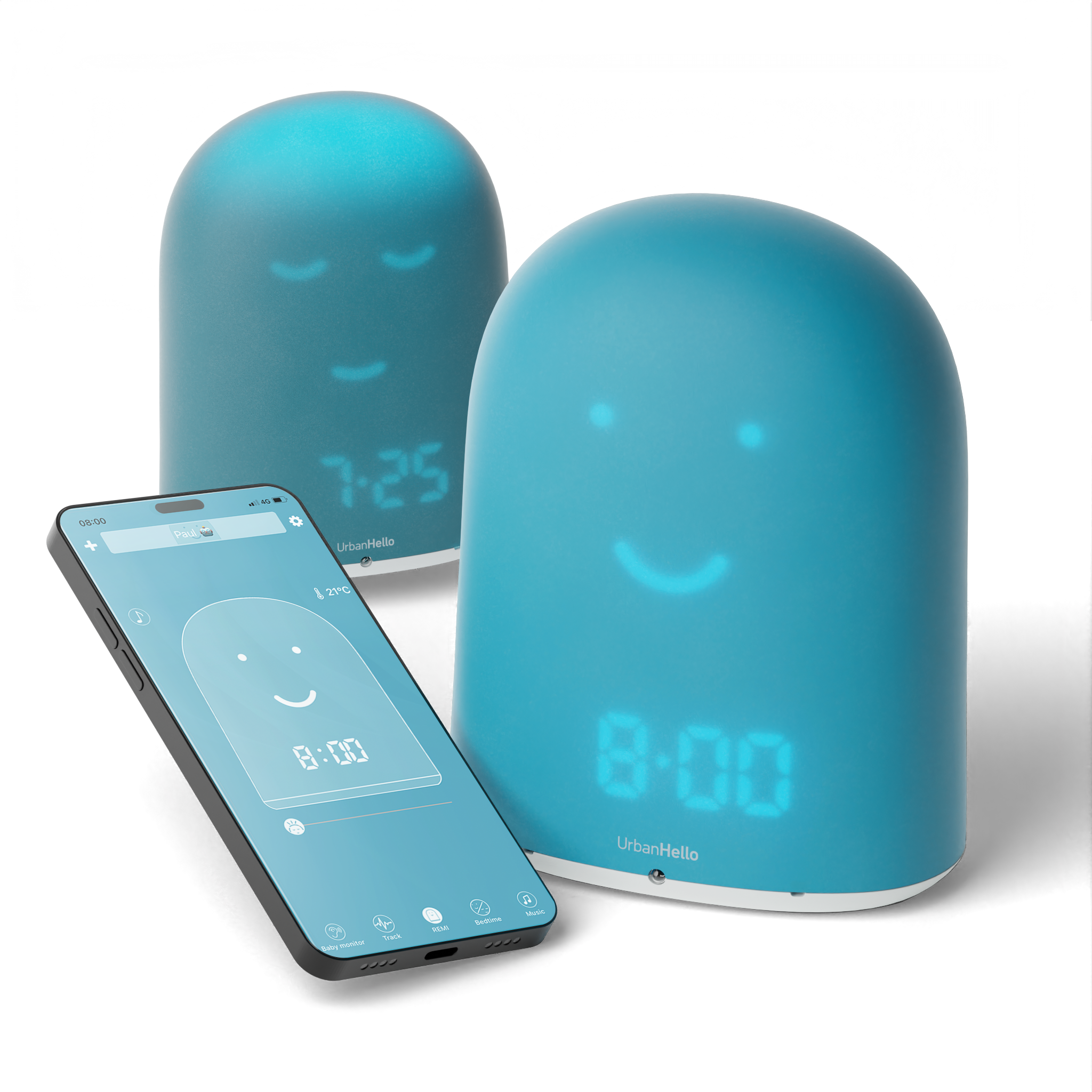
For families who find Mella's standalone format limiting, especially those who want remote schedule management, sleep tracking data, or one device from the newborn stage through middle childhood, the REMI ok to wake clock from UrbanHello offers these functions in one connected device. A free iOS and Android mobile app lets parents adjust every setting from another room.
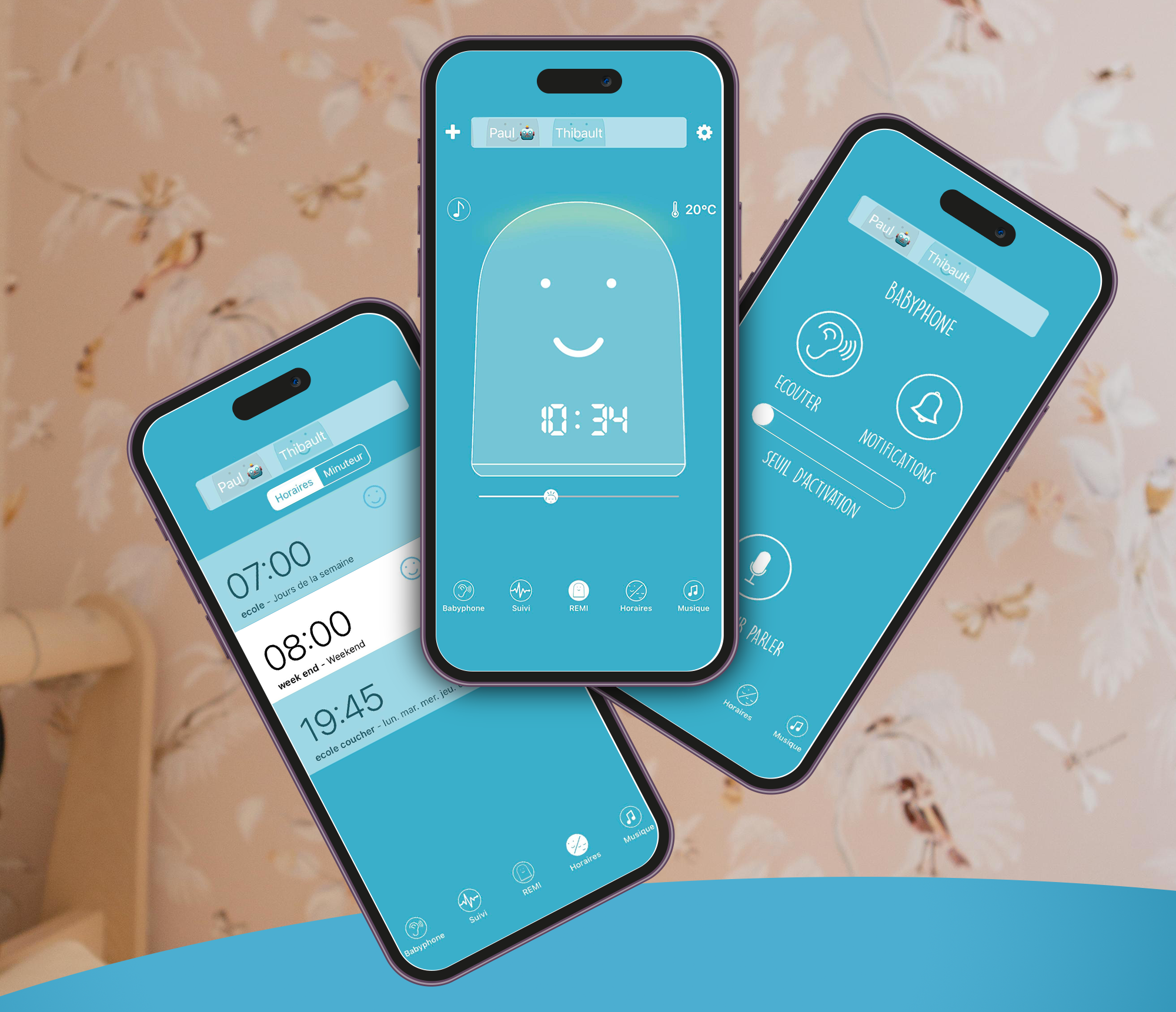
REMI's features extend beyond a sleep trainer clock. It includes a two-way WiFi baby monitor, a story player with tales available through the REMI Store, a sleep tracker with daily Night Score analysis, a Bluetooth speaker, a white noise machine, and customisable music through USB or built-in lullabies. Parents ordering directly from urbanhello.com receive an extended three-year warranty instead of the standard two-year coverage, which is useful for a device intended to accompany a child for a decade.
| Feature | Mella (LittleHippo) | REMI (UrbanHello) |
| Age range | 18 months – ~7 years | 0 – 10 years |
| Sleep trainer / ok-to-wake | Yes (red / yellow / green) | Yes (sleeping / awake face + light) |
| App control | No | Yes (iOS & Android) |
| Baby monitor | No | Yes (two-way WiFi) |
| Sleep tracking | No | Yes (Night Score) |
| Story player | No | Yes |
| Sound machine | 3 tracks (white noise, ocean, lullaby) | Built-in lullabies + custom MP3 via USB |
| Bluetooth speaker | No | Yes |
| Night light | Multiple colours, adjustable | Adjustable, dimmable |
| Weekly scheduler | No | Yes (per day) |
| Warranty | 1 year | 3 years (via urbanhello.com) |
Whether you choose Mella for its simplicity or REMI for its connected versatility, both aim to help your child develop a healthy sleep rhythm through clear, consistent cues. If you are ready for a device that grows with your child from the earliest months through primary school, REMI from UrbanHello is designed as a long-term companion. Visit urbanhello.com to discover the range and place your order.
For an independent review, compare the alarm, clock, face, night light, and sound options with your child's routine. LittleHippo remains a straightforward choice, while REMI adds connected control and broader functions.
Families looking for a gentle light cue or a white noise machine can also consider how each product fits the room environment. A familiar sound machine and a predictable wake signal may support a more settled night.
Frequently asked questions
What exactly does the Mella clock do, and from what age can it be used?
Mella is an all-in-one sleep trainer clock for a child. It combines a sound machine, an alarm clock, a night light, and a nap timer. Three colour-coded signals guide the daily routine: red indicates sleep, yellow allows quiet play, and green signals waking time. The device is designed for a toddler from approximately 18 months, although its colour-based trainer function is generally most effective from around age 2, when children begin to recognise and respond reliably to colours. As your child grows and no longer needs visual sleep cues, Mella can continue to work as a standard bedside clock.
How do I set the sleep and wake schedule on my Mella clock?
To programme a complete bedtime routine, press the SET button until “set” appears on the display. Then use the SLEEP/WAKE button to move through Sleep Mode, Play Mode, and Wake Mode in sequence. Set the preferred time for each stage: a typical schedule uses 9:00 PM for sleep, 6:30 AM for the optional yellow play period, and 7:00 AM for the green wake signal. The play period is automatically placed 30 minutes before wake time, although you can adjust it between 5 and 30 minutes or disable it completely. Once the settings are saved, activate the child lock to prevent accidental changes.
My Mella clock does not seem to be working. What should I check first?
First, check that the device is firmly connected to a functioning wall outlet. Mella needs constant mains power to display sleep cues, illuminate its light, and operate the sound machine. The included CR2032 backup battery is a memory cell only. If the display is active but the colour sequence appears at unexpected times, review the programmed Sleep, Play, and Wake modes and confirm that the displayed time is accurate, particularly after a power interruption. If the brightness or sound seems incorrect, check each setting separately: display and ring brightness, the selected sound track, playback duration, and volume can all be adjusted independently. For persistent problems, consult the troubleshooting section of the manual or contact the LittleHippo support team directly.
Recommended products
Share this article:





Similar posts
Hatch sleep trainer: the hatch baby sound machine review
Discover the hatch sleep trainer and how the hatch baby sound machine and sound machine features help build healthy sleep routines for your little one.
Best baby monitor with app: Nanit and smart baby monitor picks
Find the best baby monitor with app for your family. Compare the Nanit smart baby monitor, top features, privacy, pricing, and which baby monitor suits you best.